Why Identifying AI-Generated Images Matters Right Now
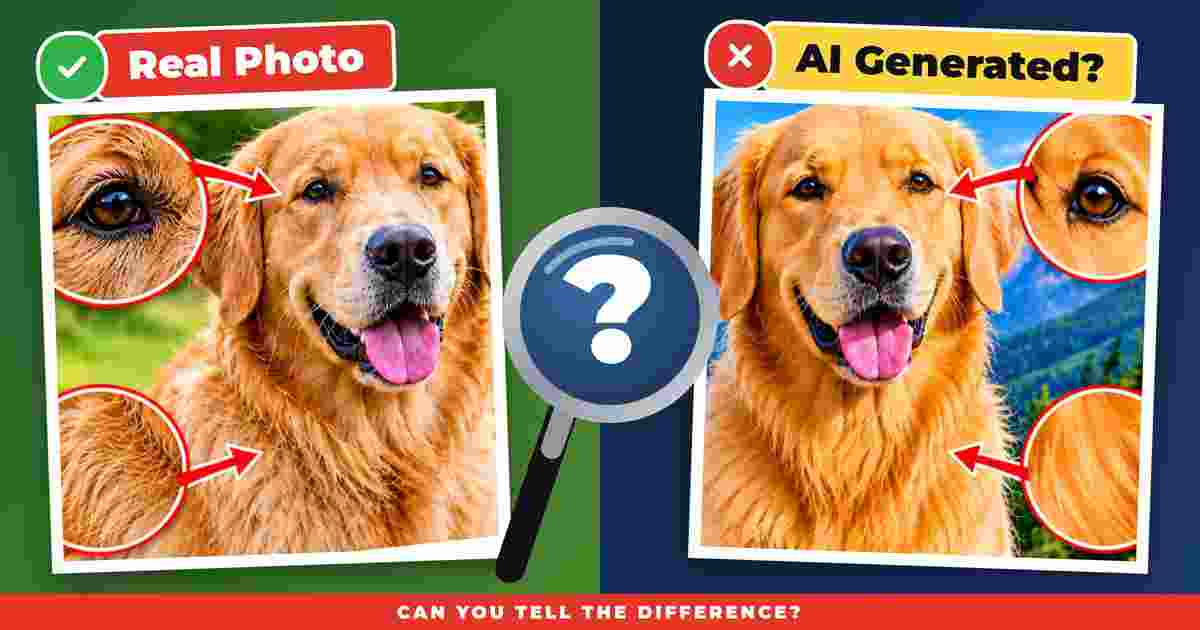
A few years ago, spotting a fake image was almost a party trick. Extra fingers, melted teeth, signs written in gibberish. You looked closely, you laughed, you moved on.
That era is mostly over. Today’s AI tools can produce photos of people, places and events that never existed, and they look convincing enough to fool most of us. Researchers at UNSW Sydney and the Australian National University found in early 2026 that people are still confident about spotting AI faces, even though that confidence no longer matches how well they actually do.
So here’s the honest truth: your eyes are now the weakest tool you have. This guide flips the old advice upside down. We start with the checks that give you the strongest evidence and finish with the visual clues, which you should treat as hints rather than proof.
If you enjoy practical tech explainers like this, you’ll find more in our Technology section.
1. Start With the Source, Not the Pixels
Before you zoom in on anything, ask a simple question: where did this image come from?
A photo can be misleading even when it’s completely real. It might be an old picture shared with a new caption, or a shot from a different country passed off as breaking news. That is a source problem, and no amount of zooming will fix it.
Ask yourself:
- Who posted it first, and can I trust them?
- Is a photographer or news agency credited?
- When was it first published?
- Does the caption actually match what I see?
- Are reputable outlets or official bodies confirming the event?
If a dramatic image has no traceable origin and nobody credible is backing it up, treat it as unverified, however real it looks.
2. Use Reverse Image Search
Reverse image search lets you search with a picture instead of words. It shows you where else the image has appeared online, and that history is often very revealing. Google Lens and TinEye are two popular options.
- Open Google Lens or TinEye.
- Upload the image or paste its link.
- Scan the matching results.
- Look for the earliest appearance and the original publisher.
- Compare captions, dates and locations across the matches.
This won’t tell you for sure whether an image is AI-made. What it can do is show that a real old photo is being recycled, or that the picture first appeared on an AI art page.
3. Ask Google: “Is This AI-Generated?”
Older guides will tell you Google can’t help with AI detection. That’s out of date. Google now says you can learn about an image’s origin using Search features like Lens, AI Mode and Circle to Search, as well as Gemini in Chrome, by asking questions such as “Is this AI-generated?”
There is one big catch. These checks rely on SynthID, an invisible watermark added to content made with Google’s AI models. A positive result is useful. A negative result only means no watermark was found. The image could still come from a tool that doesn’t use one.
4. Check With the SynthID Detector
In October 2026, Google opened up its SynthID Detector to everyone, globally in English. It can check an image, video or audio file for the watermark, and it covers content from Google and some partners, including OpenAI and NVIDIA, with Apple expected to follow.
You can also upload a picture to the Gemini app and ask whether it was made with Google AI. Google’s own help page on verifying AI-generated content has one handy tip: if you’re checking a screenshot, crop tightly around the image and don’t upload a collage of several pictures.
How to read the result: finding a watermark is strong evidence. Not finding one proves very little, because plenty of generators don’t add this kind of mark.
5. Look for Content Credentials (C2PA)
Think of Content Credentials as a “nutrition label” for digital files. They’re tamper-evident metadata that records how something was created and edited. You can inspect them with the Content Credentials Verify tool, and the official documentation explains how it works, including checking a public image link.
Some AI tools now add credentials automatically. Google, for example, said images made with Nano Banana Pro would carry C2PA metadata.
Two things to keep in mind:
- Many social platforms strip metadata when images are uploaded or downloaded, so the credentials may be gone by the time you see the picture.
- If credentials are present, that’s useful. If they’re missing, it tells you almost nothing, because most images never had them.
6. Check EXIF Metadata (But Don’t Overtrust It)
EXIF data can include the camera make and model, date and time, settings, editing software and sometimes GPS coordinates. If an original file has believable EXIF details, that’s a mild point in its favour.
The problem is that metadata is easy to delete or fake, and screenshots and re-uploads usually wipe it out. Use it as one clue among many, never as the final word.
7. Try AI Image Detectors, With Realistic Expectations
Tools like Hive Moderation, AI or Not and Sightengine analyse an image and give you a probability that it’s AI-generated. They can help, but they’re far from perfect.
In a May 2026 NewsGuard test of 15 authentic news photos, Hive and Sightengine flagged none as fake, AI or Not wrongly flagged one, and ZeroGPT wrongly flagged three. When the testers lightly enhanced real images, Hive and Sightengine flagged 27 percent as AI-generated. In other words, even small edits can confuse them.
| Tool | Good for | Watch out for |
|---|---|---|
| Hive Moderation | Quick web checks | Can be thrown off by light edits |
| Sightengine | Developers and conservative triage | Free limits and pricing change, so check the site |
| AI or Not | Simple, fast uploads | Low-quality or compressed images can affect results |
A smarter way to use them:
- Run the image through two or three detectors, not just one.
- If they strongly agree, take that seriously. If they split, call it inconclusive.
- Use the original, highest-quality file you can find. Compressed copies and screenshots reduce accuracy.
- Read the privacy policy before uploading anything personal.
8. Beware of Cropped and Re-Saved Copies
Watermarks are a promising idea, but they can break. In July 2026, a Reuters analysis tested 40 images made with Meta’s Muse Image. The detector verified every original, but missed 55 percent of them once they were cropped to roughly a third to half their size. Meta said the tool was still in preview.
The takeaway: if a check fails on a cropped or screenshotted copy, that doesn’t make the image authentic. Try to track down the original, uncropped file.
9. Test the Physics: Perspective, Shadows and Reflections
This is one of the more promising tricks left. Digital forensics experts, including Hany Farid, argue that AI generators still don’t reliably follow the geometry of the real world, even when the picture looks flawless. TechSpot’s write-up of the research is a good plain-English summary.
- Vanishing points: parallel lines, like floor tiles or rooflines, should meet at a common point. Draw lines on a copy of the image to test it.
- Shadows: lines joining points on an object to the matching points on its shadow should also meet at one point, because the sun is so far away.
- Reflections: lines linking objects to their reflections should stay consistent.
It takes some effort, and real photos with wide-angle lenses or heavy editing can break the rules too. But it’s a smarter test than counting fingers.
10. Treat Hands, Faces, Text and Textures as Weak Hints
These were the classic tells, and they can still catch sloppy fakes. But newer models have fixed a lot of them, so they’re no longer a safe test.
Still worth a quick glance:
- Fingers that merge, or objects that aren’t held convincingly.
- Teeth, ears, glasses or jewellery that look inconsistent.
- Signs and logos with nonsense lettering or wrong numbers.
- Skin that looks waxy, or hair that blends oddly into the background.
- Backgrounds with impossible architecture or overlapping objects.
And please remember the reverse: clean hands and readable text don’t prove a photo is real. Beauty filters, retouching and compression can create odd artefacts in genuine pictures too.
11. Compare With Trusted Photographs
If an image claims to show a landmark, a public figure or a breaking event, compare it with photos from reliable news agencies or official sources. Check the architecture, signage, clothing, weather and surroundings.
Keep in mind that an image can be partly real and partly synthetic. A genuine photo might have AI-edited details added, so matching the real location doesn’t guarantee every detail is authentic.
12. Watch for Scam Patterns
AI images aren’t bad in themselves. They’re widely used in design, art and advertising. The trouble starts when realistic fakes are used to make a scam look believable.
- Fake investment ads that use made-up celebrity endorsements.
- Fraudulent online stores with unrealistic or stolen product photos.
- Fake news images of disasters, protests or public events.
- Impersonation profiles that use generated portraits.
To protect yourself, verify anyone promoting a money-making opportunity through official channels, research unfamiliar stores before paying, and never make a financial decision based on a photo alone. Be wary of urgency, secrecy and celebrity endorsements. For more on staying safe online, browse our technology guides.
Can AI-Generated Images Be Detected With 100% Accuracy?
No. Nothing can guarantee that every AI image will be caught, or that every real photo will be recognised as real.
- Compression and screenshots remove metadata and weaken signals.
- Cropping and resizing can defeat watermarks and confuse detectors.
- Light editing can cause false alarms on genuine photos.
- Detectors often lag behind the newest generators.
- Watermarks only identify tools that actually add them.
The best approach is layered: source checks first, then reverse image search, then SynthID and Content Credentials, then a couple of detectors, and finally your own eyes.

Frequently Asked Questions
How can I tell if a picture is AI-generated?
Start with its source and history. Then use reverse image search, SynthID and Content Credentials checks, and more than one detector. Treat visual flaws as hints, not proof.
What is the best free AI image detector?
There isn’t a single best one. Hive Moderation, Sightengine and AI or Not are common choices, and independent tests show each has different strengths and error patterns. Free limits change, so check each site and compare at least two results.
Can AI-generated images look completely real?
Yes. Many are indistinguishable from real photographs to ordinary viewers, and research shows people tend to overestimate how well they can spot them.
Can Google identify AI-generated images?
Partly. Google Search features like Lens, AI Mode and Circle to Search, along with the Gemini app, can check for SynthID and answer “Is this AI-generated?” for supported content. They can’t detect AI images that carry no compatible watermark or credentials.
Are AI image detectors always accurate?
No. They can produce both false positives and false negatives, especially on compressed, edited or brand-new generator images.
Can screenshots hide AI-image information?
Yes. Screenshots usually remove metadata, can weaken watermarks and may strip Content Credentials. Try to find the original file, or at least crop tightly before testing.
Is it safe to upload photos to detection websites?
It depends on the provider. Read the privacy policy and retention terms, and avoid uploading sensitive personal photos unless you’re comfortable with how they’re handled.
If I can’t find any flaws, is the image real?
No. A lack of visible errors isn’t proof of authenticity. Lean on source and provenance evidence instead.
Final Thoughts: Verify Before You Believe or Share
AI images are now good enough that your eyes alone can’t be trusted. A few minutes spent tracing the source, running a reverse image search and checking for watermarks tells you far more than hunting for odd fingers.
Before you share a striking image, ask yourself one question: can I find where this really came from? If the answer is no, treat it as unverified. For more explainers like this, visit the Horaa.xyz Technology category or head back to the Horaa.xyz homepage.
Sources and Further Reading
- Google: Making it easier to identify AI-generated content globally (Oct 2026)
- Google: Making it easier to understand how content was created and edited
- Google: AI image verification in the Gemini app
- Gemini Help: Verify AI-generated images, videos and audio
- Content Authenticity Initiative: Using the Verify tool
- NewsGuard: AI image detection tools often declare authentic content fake (May 2026)
- Reuters: Meta AI image detector fails on cropped images (Jul 2026)
- UNSW Sydney: People are overconfident about spotting AI faces (Feb 2026)
- TechSpot: AI images are getting harder to spot, but physics still gives them away